Office & Organization / PRODUCT GUIDE
Avery Easy Peel 8160 labels guide: run a clean batch of addresses on an inkjet
Avery 8160 is a matte white paper label with permanent adhesive, sized one by two and five-eighths inches. The 750-label box holds 25 sheets of 30 and is designed for inkjet printing.
As an Amazon Associate I earn from qualifying purchases.
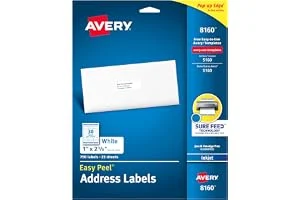
View Avery Easy Peel 08160 inkjet address labels (750 count) on Amazon (paid link) ↗
Choose inkjet stock before picking the template
The four-digit template is 8160 and the retailer may add the leading zero to the product number. Avery also sells 5160 with the same label layout for laser printers. Check the printer type and actual package before buying. Matching the number of labels across a page only solves the alignment part of the job.
Preview one full page of addresses
At 30 labels per sheet, 90 invitations use three complete sheets. Preview a short address and the longest one before committing the full list. Wrap long lines within the usable space and leave room around the text. This size works for a normal address, return address or name. A larger logo or a shipping barcode needs stock that matches its own dimensions.
Print a plain-paper check at actual size
Avery suggests printing a plain-paper template at 100% or Actual Size to check alignment. Hold the proof against the label sheet and make sure the bottom row is still inside its boxes. If all labels shift the same way, first check the way the page feeds. If offset grows down the sheet, double-check scaling and the paper size. Follow the printer’s guidance on loading the label stock and avoid repeatedly feeding a partially used sheet.
Use the peel edge for a stack of envelopes
After you verify the print, the Easy Peel design helps you lift each label from its backer when you bend the sheet. Plan the placement before smoothing down the permanent adhesive. The paper stock fits envelopes and ordinary indoor labels. Test another material if you need a reusable label or are labeling something that regularly gets wet. Ryan did not run a printer or adhesive test for this guide.
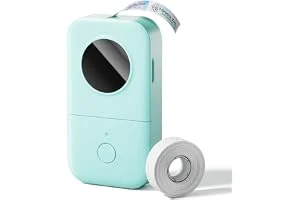
Compare Phomemo D30 for quick bin labels
The D30 prints narrow rolls from a compatible phone. Use it if you mainly need single labels for drawers or cords and want to skip the sheet setup. The 8160 is a better format when feeding a prepared mailing list through an inkjet.
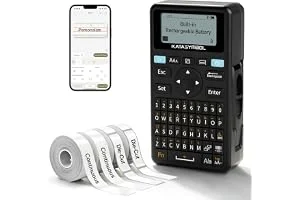
Compare SUPVAN E11 when you prefer typing on the labeler
The E11 has an integrated keyboard and optional app design over Bluetooth. It is useful for printing a short name at the shelf without setting up a document. The Avery format gives you a wider rectangle and 30 matching spaces for a batch of envelopes.
Compare the shopping options
Phomemo D30 — mobile Bluetooth roll labeler for short labels
SUPVAN E11 — keyboard and Bluetooth labeler for one-off organization
Sources and review basis
Researched November 20, 2026. Ryan’s own experience is attributed where supplied. Other judgments are buying advice based on the cited product information, not a hands-on comparison or laboratory test. Prices and availability are checked at the retailer.