Computers, Tablets & Accessories / PRODUCT GUIDE
Dell S2725QS guide: a 27-inch 4K monitor for a desk that doubles as a gaming setup
The Dell S2725QS combines a 27-inch 3840 × 2160 IPS display, up to 120 Hz over its video inputs and two built-in 5-watt speakers. Its case is strongest for someone who reads or edits on the same desk where they play, and who already has a way to connect and charge a laptop.
As an Amazon Associate I earn from qualifying purchases.
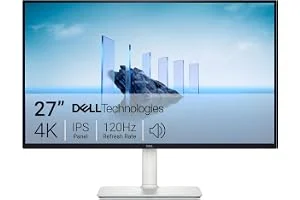
View Dell 27 Monitor S2725QS, 4K UHD IPS, 120Hz, 5ms, FreeSync Premium on Amazon (paid link) ↗
Try the scaling you would use all day
Dell lists 163 pixels per inch. That density makes small type, fine graphics and a video-editing timeline look sharper at a normal desk distance. A 4K desktop at 100% scaling can also make menus and controls uncomfortably small. Start at an operating-system scaling setting that lets you read comfortably, then see how much of your spreadsheet or editing workspace you can keep visible. The extra pixels still help render type even when scaling reduces the usable desktop area.
Use a connection that can supply both 4K and 120 Hz
Dell specifies one DisplayPort 1.4 input and two HDMI inputs that support up to 3840 × 2160 at 120 Hz. Confirm that the computer, port, cable and any dock can pass that signal. Once connected, check the operating system’s display panel for the selected refresh rate. The display has no USB-C video or laptop-charging input, so a USB-C-only notebook may need its own charger and a compatible video adapter or dock.
The adjustable stand and speakers can simplify a small desk
The included stand adjusts for height, swivel, tilt and pivot. That matters if your desk height is fixed or you occasionally turn a long document upright. The two speakers can cover dialogue, calls and everyday playback without a separate pair on the desk. Dell lists 99% sRGB and 350-nit brightness. Those specifications help set expectations for general work, while paid color-delivery decisions still need your own calibrated workflow. Ryan has not reported testing or calibrating this unit.
Compare the Dell SE2726HG if competitive play drives the purchase
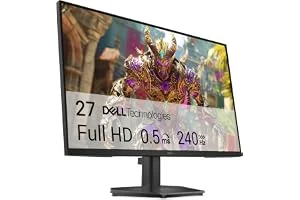
The 27-inch SE2726HG B0GGRKQ494 goes up to 240 Hz at 1920 × 1080. The lower pixel count makes the graphics workload lighter at the same frame rate, all else equal. It suits a desktop built for high frame rates in competitive games. The S2725QS offers considerably more detail on a 27-inch panel and a more flexible stand for desks that also see substantial reading or editing.
Compare the Philips 241V8LB if a compact everyday screen is sufficient
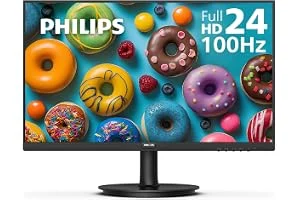
The 23.8-inch Philips 241V8LB/27 B0C8ZKV5R9 offers a 1920 × 1080 VA panel and up to 100 Hz. Its smaller footprint can fit a secondary workstation or a narrow desk. Choose it for a smaller display with less demand on the video connection. The Dell gives you more physical room, finer detail and better stand adjustments when the screen is the main place you work.
Compare the shopping options
Dell SE2726HG 27-inch 240 Hz Full HD — faster refresh for PC gaming
Philips 241V8LB/27 23.8-inch 100 Hz — smaller everyday display
Sources and review basis
Researched November 20, 2026. Ryan’s own experience is attributed where supplied. Other judgments are buying advice based on the cited product information, not a hands-on comparison or laboratory test. Prices and availability are checked at the retailer.