Computers, Tablets & Accessories / PRODUCT GUIDE
HUANUO FlowLift dual monitor arm guide: measure the screens and the desk first
The black two-arm FlowLift B07T5SY43L is listed for 13- to 32-inch displays that weigh 4.4 to 19.8 pounds apiece. It uses 75 × 75 or 100 × 100 mm VESA mounts and offers a rear-edge clamp or a through-desk grommet install. The appeal is moving two screens independently while clearing their feet from the desktop.
As an Amazon Associate I earn from qualifying purchases.
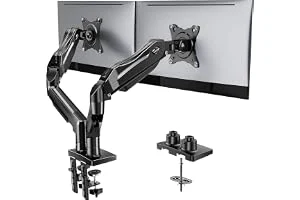
View HUANUO FlowLift dual monitor desk mount on Amazon (paid link) ↗
Check each monitor’s stand-free weight and mounting holes
Look up the panel-only weight for each exact screen. Both the minimum and maximum matter because each spring carries its own monitor. A very light display can rise on its own if the mechanism cannot be adjusted low enough. Confirm the hole spacing, the required screw length and whether a recessed mount needs spacers. The 32-inch listing is a maximum diagonal; it does not establish fit for every 32-inch monitor or every version of HUANUO’s DS6 arm.
Inspect the underside where the base will sit
A center beam, rear cable tray, thick desk apron or rounded edge can leave the clamp without a flat surface to press against. Measure the clear depth and thickness against the instructions supplied with the exact mount. A grommet install needs a suitable hole and a sound surface on both sides. If the desk maker restricts clamping or the desktop is glass or hollow, check the desk instructions before loading it with two screens.
Sketch the desk position with two rectangles
Mark each screen’s actual width on scrap paper. Try placing them side by side, then angle the secondary screen toward you. That shows whether you will run out of wall clearance or hit a desk shelf when changing positions. After installation, give each video and power lead enough slack to move through the full range you intend to use. Ryan has not reported load-testing the base or measuring spring stability.
Compare a single HNSS6 when one screen needs frequent adjustment
The black HUANUO HNSS6 B07T3KCQ94 moves one monitor on its own clamp or grommet base. It is a better fit when one screen stays on its factory stand, or when separate mounting positions line up more easily with the desk. Two separate arms would need two usable mounting points. The dual FlowLift uses one base for both arms.
Compare an OPNICE two-tier riser when the desk cannot take a clamp
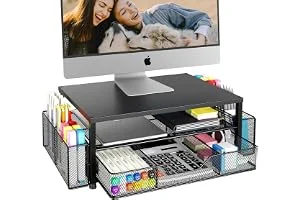
The OPNICE B0DB8F7GDN rests on the desktop and leaves space for small supplies in its drawer and side holders. It can lift a single monitor still on its original stand, provided the stand’s footprint fits. Choose it when you want a fixed lift and storage, or when furniture limits prevent clamping. The FlowLift is the purchase for individually adjustable VESA screens.
Compare the shopping options
HUANUO HNSS6 single monitor arm — one independently adjustable display
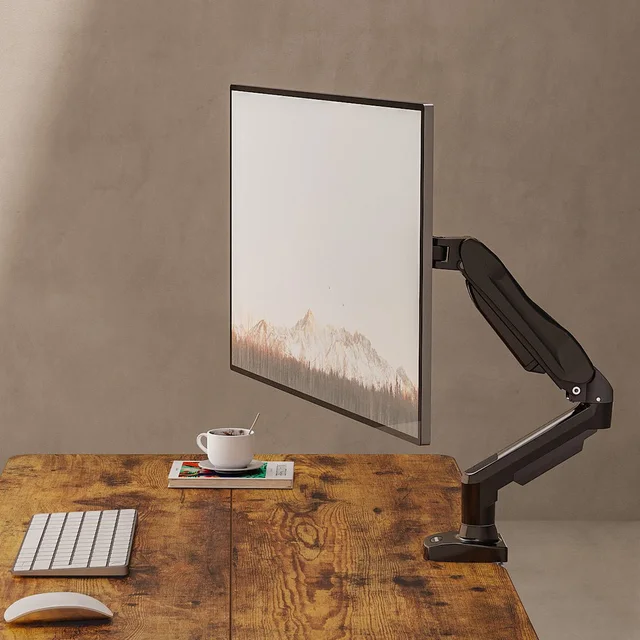
Product photo: HUANUO HNSS6 product photo
OPNICE two-tier monitor riser — fixed desktop lift with storage
Sources and review basis
Researched November 20, 2026. Ryan’s own experience is attributed where supplied. Other judgments are buying advice based on the cited product information, not a hands-on comparison or laboratory test. Prices and availability are checked at the retailer.
- Exact B07T5SY43L per-arm weights, VESA patterns and mount options
- HUANUO DS6 13- to 32-inch family specifications
- HUANUO HNSS6 single-arm product details
- Exact single-arm ASIN to HNSS6 identity
- Exact OPNICE riser listing and included storage
- Product photo: HUANUO HNSS6 single monitor arm — one independently adjustable display