Computers, Tablets & Accessories / PRODUCT GUIDE
KYY K3 15.6-inch portable monitor: one-cable video only when USB-C supports it
The KYY K3 is a 15.6-inch 1920×1080 IPS portable display with 60Hz refresh, two USB-C ports, Mini HDMI, built-in speakers and a folding cover. It can be a useful second screen, but it has no battery, touch layer or wireless connection; a one-cable setup works only when the source port and cable carry DisplayPort video and enough power.
As an Amazon Associate I earn from qualifying purchases.
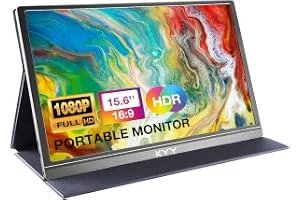
Confirm K3 and the exact gray or black offer
ASIN B088D8JG3L identifies the KYY K3 15.6-inch portable monitor family. An exact-ASIN record describes a gray K3, while KYY’s current direct page also offers black and gray variants. Confirm the color, smart cover, power adapter and three cable types in the current box because a visually similar K3-2 or another KYY size may use a different stand, port layout or accessory bundle.
The panel is Full HD at 60Hz, not a high-resolution desktop replacement
KYY specifies a 15.6-inch IPS panel with 1920×1080 resolution, 60Hz refresh and a 16:9 shape. At this size, Full HD is practical for a second document, timeline bins, chat or console screen. It does not offer 4K workspace or the 120–144Hz motion of a gaming-focused portable monitor. Match operating-system scaling to text comfort rather than forcing the smallest interface.
There is no battery inside
The K3 must receive power whenever it is used. A laptop may provide both video and power through one compatible USB-C cable, but brightness, volume and source power limits can make an external adapter more reliable. Mini HDMI carries video only, so that connection always needs a second cable for power. Pack the power plan, not just the display.
USB-C shape alone does not guarantee video
A source USB-C port must support DisplayPort Alternate Mode or Thunderbolt/USB4 video output, and the cable must carry video rather than charging only. Many budget laptops, desktop front ports and phones have USB-C data or charging without display output. Check the source-device specification by exact model. An adapter cannot create video output from a port whose hardware never provides it.
Mini HDMI is the dependable fallback for many sources
The included Mini-HDMI-to-HDMI cable can connect a laptop, console or camera output with standard HDMI, while USB supplies power separately. Keep the connector orientation straight and avoid letting a stiff full-size cable hang from the small Mini HDMI jack. For a desktop or console, an external 5V supply can prevent the monitor from competing with the source for USB power.
Understand what each included cable is meant to do
KYY lists a USB-C-to-C cable for video plus power, a Mini-HDMI-to-HDMI cable for video, and a USB-A-to-C cable for power. Substituting a cable is possible only if it meets the same function. A charging-only USB-C cable may power the screen but produce “no signal,” while an underpowered adapter can cause dimming, resets or unstable operation.
The folding cover is protection and a basic stand
The PU smart cover folds into grooves for viewing angles and protects the front in a bag. It is not a rigid laptop shell, so pressure from a charger or book can still reach the panel. Use a padded sleeve, keep grit away from the screen and test the chosen angle before typing on a moving table. A separate stand can raise the panel closer to eye level.
Built-in speakers solve convenience, not sound quality
The K3 includes stereo speakers and a 3.5mm audio connection. Thin portable displays have little acoustic volume, so the speakers are best treated as an emergency output for calls, system sounds or casual playback. Headphones, the laptop’s speakers or a small external speaker are better when dialogue clarity and bass matter. Confirm the operating system routes audio to the intended device.
HDR mode is not proof of professional color accuracy
KYY advertises HDR and scene modes, but that label does not establish wide color-gamut coverage, high peak brightness or factory calibration. Use it for general productivity, previewing and entertainment; do not assume it is a grading reference for paid photo or video work. A color-critical workflow needs measured gamut, calibration support and controlled lighting.
It is not touch-enabled or wireless
KYY states that the monitor has no touchscreen, Bluetooth, Wi-Fi or wireless casting. Phone compatibility therefore depends on wired video output from the exact phone, and iPhones with Lightning need a compatible video adapter plus power. A USB-C phone may still lack DisplayPort output. The screen also cannot charge itself for later use because it contains no internal battery.
Compare AOC 16T20 for VESA mounting and a fold-out kickstand
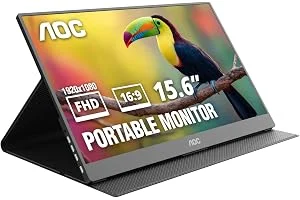
The cataloged AOC 16T20 is another 15.6-inch 1920×1080 60Hz IPS portable display with two USB-C inputs, Mini HDMI, speakers and a 75×75 VESA pattern. AOC lists a fold-out kickstand, about 0.7kg without it and 10W typical power. It is a meaningful office-oriented comparison if a rigid built-in stand or VESA mounting matters more than KYY’s cover stand.
Compare ARZOPA Z1FC for 144Hz portable gaming
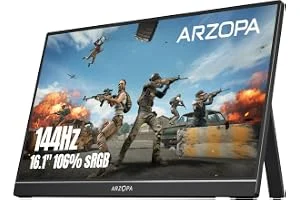
The cataloged ARZOPA Z1FC expands to 16.1 inches and advertises 1920×1080 IPS, 144Hz refresh, FreeSync, a built-in stand and 1.7-pound weight. It is the stronger motion-focused option when the source can actually output a high refresh rate. A 144Hz panel does not make every console game 144fps, and power, cable and source-output requirements still apply.
The buying call
Choose the KYY K3 for a lightweight 60Hz Full HD second screen when its included cover and mixed USB-C/HDMI connection paths fit your devices. Choose AOC 16T20 for a documented kickstand and VESA mounting, or ARZOPA Z1FC for a larger 144Hz gaming-focused panel. Ryan has not claimed to own or test this exact monitor; this guide uses KYY and competitor documentation and does not turn retailer HDR language into a calibration claim.
Compare the shopping options
AOC 16T20 — 15.6-inch 60Hz IPS portable monitor with kickstand and VESA pattern
ARZOPA Z1FC — 16.1-inch 144Hz portable gaming monitor with built-in stand
Sources and review basis
Researched November 20, 2026. Ryan’s own experience is attributed where supplied. Other judgments are buying advice based on the cited product information, not a hands-on comparison or laboratory test. Prices and availability are checked at the retailer.
- KYY official K3 product specifications, ports and cable guidance
- KYY K3 official-style user manual hosted by Amazon media
- Exact ASIN B088D8JG3L KYY K3 product record
- Amazon listing for KYY K3 portable monitor, ASIN B088D8JG3L (paid link)
- AOC official 16T20 specifications
- Exact ASIN B0F3MMK1J4 AOC 16T20 identification record
- Amazon listing for AOC 16T20, ASIN B0F3MMK1J4 (paid link)
- ARZOPA official Z1FC specifications
- Amazon listing for ARZOPA Z1FC, ASIN B0CH9WTW56 (paid link)