Computers, Tablets & Accessories / PRODUCT GUIDE
Philips 241V8LB monitor guide: a compact 1080p screen that can run at 100 Hz
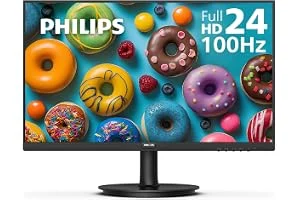
The Philips 241V8LB/27 is a 23.8-inch VA desktop monitor with a 1920-by-1080 panel, HDMI and VGA. It is a straightforward fit when you want one main screen and a computer with a suitable HDMI connection.
As an Amazon Associate I earn from qualifying purchases.
Find room on the desk before comparing pixels
Philips lists the monitor with its stand at 540 by 416 by 220 millimeters. Measure the width between desk items and use the depth to check that the stand leaves enough keyboard space. A 23.8-inch 1080p screen can handle an editor or worksheet beside a narrow reference pane. If you normally keep three dense windows readable at the same time, plan for a larger, higher-resolution monitor or a second display.
Use HDMI when 100 Hz matters
Philips specifies 1920 by 1080 up to 100 Hz on HDMI. The family manual lists VGA refresh through 60 Hz for this model. If you are moving up from an old VGA monitor and can switch cables to HDMI, connect that way and choose the refresh rate in the computer’s display settings. An adapter or dock can change what the system supports, so verify the full path when selecting hardware.
Understand which display adjustments come with the stand
The included stand tilts from about five degrees down to 20 degrees up. The published specs do not list height adjustment for the stand. Use Philips’s 100-by-100 mm VESA mount compatibility if desk position needs an arm, and check the arm’s supported load and your desk’s mounting clearance. This is a desktop display and has a separate power connection. A USB-C-only laptop also needs a suitable video path to HDMI.
Judge the panel for what you do most
The manufacturer lists 250 cd/m² typical brightness and 4,000:1 typical contrast for the VA panel. Those are model specifications and not measurements from Ryan. If your monitor faces a bright window, account for glare and check where you can move it. For color-critical work, look for independently measured results for the display and your targets. The simplest match here is everyday text, browsers and general media with space for one monitor.
Compare Dell S2725QS for more room inside a window
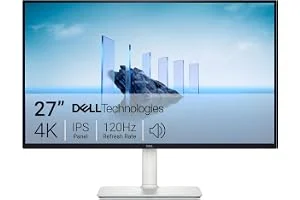
The 27-inch Dell has a 3840-by-2160 IPS panel, up to 120 Hz on a supported connection and a height-adjustable stand. Choose it when you need finer detail, more workspace or multiple digital inputs. It also takes more physical width and can require a better cable or dock to run with its complete resolution and refresh combination.
Compare AOC 16T20 if the second screen has to travel
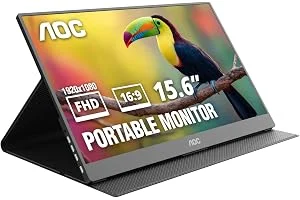
AOC’s 15.6-inch 1080p portable IPS panel has a 60 Hz specification and USB-C connectivity. It trades screen size and refresh rate for a format you can take with a laptop. Check host video and power requirements. The Philips is the stronger desktop pick when the screen stays in one place and you prefer a larger image.
Compare the shopping options
Dell S2725QS 27-inch 4K monitor — more pixels, digital inputs and stand adjustment
AOC 16T20 15.6-inch portable monitor — smaller travel-friendly 1080p screen
Sources and review basis
Researched November 20, 2026. Ryan’s own experience is attributed where supplied. Other judgments are buying advice based on the cited product information, not a hands-on comparison or laboratory test. Prices and availability are checked at the retailer.
- Philips U.S. 241V8LB/27 datasheet, including input, stand and panel details
- Philips family user manual with HDMI versus VGA limits by model
- Exact Philips 241V8LB Amazon listing (paid link)
- Dell S2725QS official resolution, ports and stand specifications
- AOC 16T20 official display and connection specifications