Office & Organization / PRODUCT GUIDE
Phomemo D30 label maker guide: use a phone to print short labels at the shelf
The Phomemo D30 is a rechargeable Bluetooth thermal labeler for compatible rolls. Its 12 mm effective print width suits compact IDs, such as bins, drawer dividers and charger cables.
As an Amazon Associate I earn from qualifying purchases.
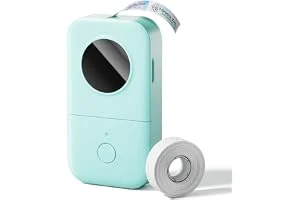
View Phomemo D30 Bluetooth label maker with tape on Amazon (paid link) ↗
Pick a physical label before designing it
The D30 manual specifies 203 dpi and an effective print width of 12 mm. The usable label length depends on the roll and whether it has separate die-cut pieces. Measure the flat spot where the label will go. A one-line name like USB-C CABLES is a better fit than a long instruction or delivery address. On a curved surface, try a short label first so you can see if the edges lift.
Pair through the phone app and verify one sample
The manual lists compatible iOS and Android phones and Bluetooth connectivity. Install the named app, connect from its device control and pick the size that matches the physical roll. Print one sample before printing duplicates. If the print sits between two stickers, check the roll orientation and size setting. Keep the app requirement in mind if the printer will be shared by several people or used away from your phone.
Buy the roll for the conditions at the shelf
Thermal printing uses compatible stock without a separate ink cartridge. The stock affects the adhesion and how well the print lasts in heat, light or moisture. Start with the included tape for an ordinary drawer, then choose a documented refill for special surfaces. Avoid assuming that descriptions of one tape apply to every compatible roll.
Hold the print job to the size of the task
For a series of frequently used boxes, use the same short naming format and test that the text is legible from your standing height. For longer labels or a big address batch, the format gets restrictive. A spreadsheet and inkjet label sheet suit jobs with larger rectangles or many lines. This article uses published operating information. Ryan did not test pairing or adhesive life.
Compare SUPVAN E11 for labeling without a phone nearby
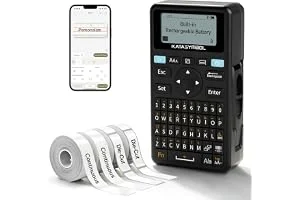
SUPVAN’s E11 has a keyboard and a screen with optional Bluetooth app controls. It can print from the keyboard for quick labels between tasks. The D30 is a compact option if you already prefer designing every label on your phone.
Compare Avery 8160 for full sheets of mailing labels
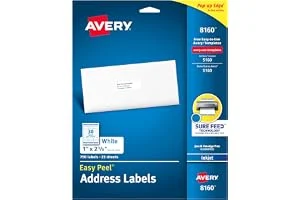
The 8160 holds 30 inkjet labels per sheet and gives each label a permanent matte paper surface. Use it when you want to print a batch of complete addresses. The D30 works for shorter single labels without feeding a full page.
Compare the shopping options
SUPVAN E11 — direct keyboard printing with optional Bluetooth
Avery 8160 inkjet address labels — larger rectangles for batch printing
Sources and review basis
Researched November 20, 2026. Ryan’s own experience is attributed where supplied. Other judgments are buying advice based on the cited product information, not a hands-on comparison or laboratory test. Prices and availability are checked at the retailer.