TV, Streaming & Electronics / PRODUCT GUIDE
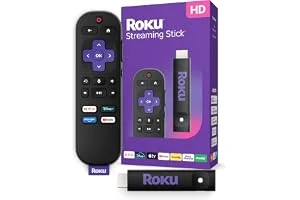
Roku Streaming Stick HD: the simple pick for a 1080p TV
A model-specific guide to Roku’s slim 1080p stick, the TV-control voice remote and the point where a 4K model is a better buy.
As an Amazon Associate I earn from qualifying purchases.
View Roku Streaming Stick HD on Amazon (paid link) ↗
Identify the HD model before choosing a Roku stick
This guide covers the RyansFinds catalog item Roku Streaming Stick HD, ASIN B0DXXYS4BJ. Roku sells several sticks with similar names, including HD, Streaming Stick Plus (4K) and Streaming Stick 4K. Roku’s current product comparison lists the HD stick as an up-to-1080p device; match the exact product name and the Amazon selection before checkout. The difference matters most if the TV is 4K or a planned upgrade will be.
1080p is its ceiling, so match it to the screen
The HD stick is a sensible shortlist for a television that tops out at 1080p. Roku says the 2025 stick streams up to 1920×1080; it does not turn an HD television into a 4K screen, and it is not the right Roku model if native 4K output is the main goal. For an existing 4K TV, compare the Streaming Stick Plus or Streaming Stick 4K and check which HDR formats the television supports.
The stick plugs behind the television
Roku describes a slim HDMI stick that connects directly to a TV and can be powered from the TV’s USB port. This keeps a player out of sight and can reduce the number of visible cables. Check the location and clearance of the HDMI port before ordering—some recessed panels or neighboring plugs make a rigid stick awkward. Read the included-accessory list for the exact package and follow Roku’s setup instructions if the television’s USB connection does not power the device reliably.
The included voice remote also controls the TV
Roku lists a Roku Voice Remote with TV power, volume and mute buttons for this stick. That can let the viewer use one remote for basic television controls and streaming navigation, but Roku notes that TV controls work with most TVs, not every combination. The voice button can search and control playback across supported apps. If the recipient already likes another platform’s remote and interface, an alternative ecosystem may feel more familiar.
Wi-Fi and streaming subscriptions are still required
The player relies on a working internet connection and the apps the household wants. The stick does not include a paid streaming subscription, and a free channel or free trial can change over time. Before giving it to someone, check that the TV has an available HDMI port and that the home Wi-Fi reaches that room. If the person mostly watches an antenna or an existing smart-TV interface, a streaming stick may add little.
A useful travel size, with a little setup homework
Its small plug-in design is convenient to pack for another HDMI television, but each location may have different Wi-Fi login steps, network rules and remote-control behavior. Do not assume a hotel or dorm network will be as easy as a home router; check the venue’s instructions. The strongest use case is a second screen at home or a compatible television that needs a simple streaming interface, not a promise that every TV will be plug-and-play.
Where HD makes sense and where it does not
Choose the HD stick if the screen is 1080p, the user wants Roku’s interface and voice remote, and the asking price is meaningfully below a suitable 4K model. Skip it if the television supports 4K and the buyer wants that resolution, or if they already have the apps they need built into a responsive smart TV. The 4K model is useful only with compatible TV and content; a higher-resolution label by itself is not a reason to replace a working setup.
Compare Fire TV HD and Fire TV Stick 4K Plus
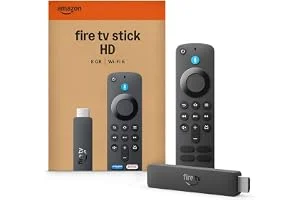
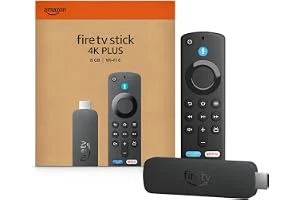
Amazon Fire TV Stick HD is the closest resolution comparison in the catalog: consider it when the recipient prefers Fire TV’s menus and Alexa-oriented remote. The Fire TV Stick 4K Plus is a different step up for a 4K television and Amazon’s app ecosystem; confirm that the catalog ASIN still maps to the 4K Plus model and that the TV/content support 4K. These alternatives have their own Amazon links and photos below. Streaming services and paid memberships are separate whichever platform you choose.
Compare the shopping options
Amazon Fire TV Stick HD — compare an HD player and Fire TV interface
Amazon Fire TV Stick 4K Plus — compare 4K output and Fire TV apps
Sources and review basis
Researched November 18, 2026. Ryan’s own experience is attributed where supplied. Other judgments are buying advice based on the cited product information, not a hands-on comparison or laboratory test. Prices and availability are checked at the retailer.
- Roku official Streaming Stick HD and Plus/4K feature comparison
- Roku official answer on the HD stick’s 1080p ceiling, TV power and voice remote
- Amazon official Fire TV Stick HD device specifications
- Amazon official Fire TV Stick 4K Plus device specifications
- Roku HD stick Amazon listing identity and dated category snapshot