Computers, Tablets & Accessories / PRODUCT GUIDE
UGREEN LP258 vertical laptop stand guide: dock a closed laptop without giving up desk space
The aluminum UGREEN 20471 cradles a single closed laptop between adjustable, padded sides. The useful measurement is the thickness of the computer at the edge that will sit in the cradle.
As an Amazon Associate I earn from qualifying purchases.
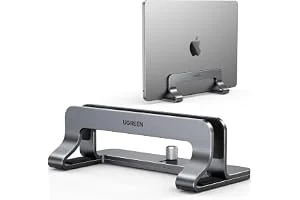
Measure where the laptop will touch the stand
The instructions for B091B4SWR7 show a slot ranging from about 0.47 to 1 inch. Measure your closed laptop where it will rest, including any shell you leave attached. On a tapered chassis the bottom and top edges can differ, and a bulky shell can count for more than the screen size. Leave the device enough clearance to lower in without forcing it between the pads.
Set the width before connecting cables
The adjustable sides are fixed from below. Set the size on a stable surface, test the fit, then connect charging and any dock or display cable. Choose the orientation that leaves the important ports accessible and lets connectors exit without a sharp bend. Long, heavy cables can tug on a light laptop. Give them slack and secure excess length away from the stand.
Check whether your computer will work with the lid closed
Connect the external monitor, keyboard, mouse and power as required by your computer, then close the screen and check that it stays usable. Some machines sleep by default and some have vents or important controls on the edge you planned to place downward. Decide how you will reach the power button and whether you need the built-in webcam. For a workspace that uses the open screen every day, a raised horizontal stand has a clearer benefit.
Use the compact footprint as a storage decision
The base is about 5.9 by 3.2 inches. Add space for cable access and for lifting the laptop straight out. The smaller footprint is useful if the machine sits behind a monitor with its ports still reachable. If you repeatedly disconnect it, make sure there is an easy place for the cables to land while the computer is out. The stand itself contains no dock or electrical connections.
Compare the fixed BESIGN LS03 for an open screen
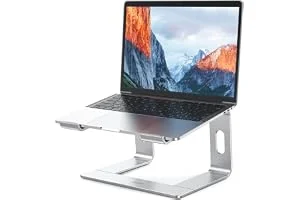
The LS03 gives a compatible laptop a roughly six-inch lift and leaves its display available. It takes more room across the desk. It is the better design if you use the laptop next to a full-size display or need a clear view of its screen during a call.
Compare the hinged BESIGN LS10 when open-screen placement changes
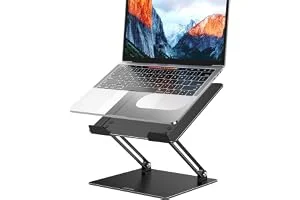
The LS10 lets you adjust height and angle for a portable workstation. It addresses screen placement while the UGREEN makes room by moving a closed laptop onto its edge. These differences come from the product documentation and a desk setup analysis. Ryan did not test stability with these stands.
Compare the shopping options
BESIGN LS03 — fixed riser for using the laptop’s own screen
BESIGN LS10 — adjustable riser for changing your screen height and angle
Sources and review basis
Researched November 20, 2026. Ryan’s own experience is attributed where supplied. Other judgments are buying advice based on the cited product information, not a hands-on comparison or laboratory test. Prices and availability are checked at the retailer.